
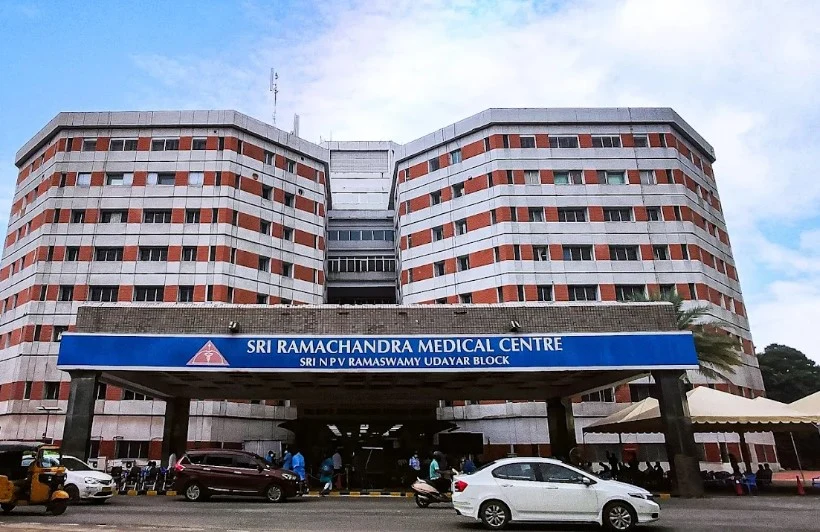

SRIHER admission: identify the route for your programme first
Sri Ramachandra Institute of Higher Education and Research (SRIHER) does not use one entrance route for every course. The official UG admission page for academic year 2026-27 lists separate destinations for MBBS/BDS, Engineering & Technology, Management, and its Group A, Group B and Group C prospectuses. A separate B.Tech page is now labelled Admissions Open 2027-28. That means the first step is to identify the exact programme and admission year before following any form, entrance-test or counselling instruction.
For the 2026-27 cycle, the UG page labels Group A “SRIHER Entrance only”, Group B “SRIHER Entrance – Courses offered by Council for Allied and Health Care Professional”, and Group C “Interview for non-statutory council courses offered by SRIHER”. It places MBBS/BDS and Engineering & Technology outside those group labels. Read the prospectus attached to your own programme; do not infer a route from a neighbouring course, faculty or degree level. The Group A/B/C labels are dated 2026-27 guidance, not a confirmed 2027-28 schedule.
SRIHER’s main admissions page also contains a general FAQ about entrance tests and interviews. Its wording is broad, while programme-specific official pages distinguish NEET-based medical admission and the 2027-28 direct-mode B.Tech route. When a summary statement conflicts with a course-specific prospectus or active programme page, use the specific current notice and ask the admission office to clarify before you submit an application. The institute’s current site has a dedicated UG admissions page; check it again for the new session’s prospectus, dates and application link.
This guide is for applicants planning for 2027-28. At the time checked, the dedicated broad UG page still listed 2026-27 prospectuses, while B.Tech had a separate 2027-28 page. The 2026-27 last-admission date shown on the UG page was 30 September 2026, which has passed. That past-cycle date is not a deadline for 2027-28. Use the live page for any programme with a new notice and wait for the next programme-specific prospectus where one is not yet available.
MBBS and BDS: use NEET and the medical counselling notices
For the 2026-27 cycle, SRIHER’s MBBS prospectus states that admission is only through NEET-based MCC centralised counselling. The institute’s BDS prospectus gives the same NEET-based MCC instruction for BDS. These are two distinct programmes, but the cited prior-cycle documents identify the same entrance and counselling route. Applicants should qualify NEET-UG and follow the relevant Medical Counselling Committee (MCC) notices for the cycle they are applying in; an institute application page or a college preference form does not replace the counselling authority’s process.
The current 2027-28 MBBS/BDS prospectus was not listed on the broad UG page when checked on 15 November 2026. Do not carry the 2026-27 seat matrix, category distribution, registration window, choice-filling calendar, reporting deadline, fee amount or document deadline forward as if it were a 2027-28 rule. When the next cycle’s material appears, compare the year printed on the SRIHER prospectus with the MCC schedule and seat matrix. Follow the current authority’s instructions if the dates or steps differ from a page retained for the previous cycle.
A practical sequence is to monitor the official NEET-UG and MCC portals, confirm that the SRIHER programme and seat pool appear in the applicable official matrix, register with the counselling authority by its current deadline, and follow the allotment and reporting instructions attached to the cycle. Keep a copy of your application, choices, allotment result, payment confirmation and required certificates. If you are unsure whether a detail belongs to the MCC stage or to SRIHER’s post-allotment process, ask the issuing office using the exact programme and session rather than relying on a general admissions FAQ.
SRIHER’s 2026-27 MBBS prospectus describes the course as four and a half years followed by one year of internship. This is a programme-duration detail from that document, not an admission calendar or a guarantee that the next session will use the same administrative dates. The current prospectus and counselling notices should control all year-specific decisions. Applicants to postgraduate medical and dental programmes should open their own PG prospectuses: the UG route above must not be reused for MD/MS, DM/M.Ch or MDS without checking the relevant current notice.
Other undergraduate routes: read the matching SRIHER prospectus
The official 2026-27 UG page separates three groups: Group A is labelled SRIHER Entrance only; Group B is labelled SRIHER Entrance for courses offered by the Council for Allied and Health Care Professional; and Group C is labelled interview for courses offered by SRIHER that are outside a statutory council. Each label points to a separate prospectus. Use that document to confirm which named course belongs to the group, the qualifying subjects, test or interview format, application fee, course choices, document requirements and timetable. The group heading alone is not enough to determine your eligibility.
SRIHER’s main admissions FAQ says its undergraduate entrance or interview is mandatory, and it describes separate group applications and limits on changing a group or course preference after payment. Because the FAQ is not as specific as the programme pages, treat those details as questions to verify against the prospectus for your intended course and cycle. In particular, do not assume that a Group B allied-health rule applies to MBBS or BDS; the 2026-27 medical prospectuses state their own NEET-MCC route. The currently published B.Tech page also gives a different direct-mode route for its 2027-28 intake.
For a course listed in Group A, B or C, note the exact group and test type from the latest prospectus, then check whether you must make a separate application for another group. Confirm whether you can edit preferences after submission, how many choices the form permits, whether payment is refundable, which exam or interview centre applies, and where hall tickets and results are posted. These items can materially affect an application, so read the instructions before paying rather than trying to change a selection later.
The broad UG page still links the 2026-27 group prospectuses and states that the last date for that cycle was 30 September 2026. As that date has passed, use those documents only to understand the prior process. Do not submit an old-cycle form or rely on an old date for a future intake. If a new programme notice is not yet available, contact the SRIHER admissions office and ask when the 2027-28 prospectus and application will be released.
B.Tech Engineering: a separate direct-mode 2027-28 page is live
SRIHER’s Engineering & Technology page is explicitly labelled Admissions Open 2027-28. It lists five B.Tech programme options, including Computer Science specialisations and Electronics & Communication Engineering. The same page says admission is based on Class 12 marks and there is no entrance examination. It gives eligibility as a passed Class 12 examination with Mathematics and Physics as compulsory subjects, plus Chemistry, Computer Science, Biology or another eligible subject, and an aggregate of 60%. This is the published B.Tech route on that page; it must not be generalized to MBBS, BDS or another SRIHER course.
The engineering page presents an online application sequence: register, verify mobile and email, complete the application, and pay the application fee. Before submitting, open the current B.Tech eligibility and prospectus links and check the precise subject combination, qualifying exam, marks calculation, documents, programme selection and fee. The main admissions site separately describes programme preference as not determining allotment by itself; the current engineering page says selection is based on Class 12 marks. Use the live course page and its linked notice to confirm what applies to your programme.
The institute lists the B.Tech page’s 2027-28 label and current application controls, but this is not proof that another faculty’s 2027-28 dates or criteria have been released. If you are comparing B.Tech with a health-science course, make two separate checklists: the engineering page for the direct-mode application, and the relevant UG or medical prospectus for that other course. Do not use the engineering 60% figure as an institute-wide eligibility threshold.
Applicants with a diploma seeking lateral entry should check the separate lateral-entry instruction shown on the engineering page and confirm the required diploma branch and year directly in the current official prospectus. The short programme summary is not enough to establish equivalence or eligibility for an individual record. Save the current notice and ask the SRIHER admission office to resolve subject combinations or document questions before the application deadline.
Before applying: a short verification checklist
- Write down the exact course, level and year. SRIHER offers a broad range of programmes, but admission channels differ by course. Use the official UG or PG page for that exact award rather than a search-result summary or a nearby programme’s requirements.
- Open the session-specific prospectus. Confirm the academic year printed on it, and read the eligibility, selection route, application dates, required documents, fee basis, refund terms and contact details. If the only available prospectus is dated 2026-27, treat it as previous-cycle evidence when planning for 2027-28.
- Match the authority to the route. For MBBS/BDS, the 2026-27 prospectuses identify NEET-based MCC counselling. For B.Tech, the live page identifies a 2027-28 direct-mode process based on Class 12 marks. For other UG groups, use the relevant Group A, B or C prospectus and check its current version.
- Check the current application page before paying. Verify the active programme, application window, fee recipient and submitted preferences on the official portal. Keep a copy of the completed form and payment acknowledgement. If a page has old and new cycle details side by side, rely on the document expressly issued for your programme and year.
- Ask a specific question when your documents do not fit. Include the course name, session, board or qualification and the prospectus clause you are checking. Save the written response. Do not assume that an exception or subject equivalence for one course applies to another.
SRIHER’s admissions page provides separate information for NRI and foreign-national UG applicants. If that describes your status, use the matching international UG page and prospectus rather than inferring the process from domestic counselling guidance. Confirm the applicable document, equivalence, visa and payment requirements from the responsible office; this guide does not infer them from general admissions copy.
A useful final check is to compare three records before submitting: the institute’s current course-specific prospectus, the live application page, and the notice from the responsible counselling authority where one applies. If they do not agree, pause the submission and get clarification from the issuer. Keep the source title and publication year with any dates or amounts in your notes. This makes it easier to distinguish the 2026-27 process from 2027-28 information as new notices appear.
For a course that uses a centralized counselling process, keep the institute prospectus and the counselling authority’s notice together. Check that the year, course, category and seat pool match before selecting choices. For a course with an institute entrance test or interview, check the correct group, hall-ticket process, centre and result channel in that group’s prospectus. For a direct-mode course, check how the institute calculates qualifying marks and which school records it accepts. These are different workflows; a useful comparison is to write one checklist per programme rather than one for SRIHER as a whole.
If a portal page displays a prospectus from a previous session beside a newer programme page, do not assume that the old document still controls. Look for a version date and cycle label on the document itself. If the current page does not identify a new prospectus for the session you need, treat the future schedule as unannounced and contact admissions. Avoid making a payment based only on an old fee table or an undated third-party summary.